mail.com: Email app & Cloud
- 4.5
- Rating
- 1.00M
- Installs
- Free
- Price

 Analysis by App-foxy
I spent time using mail.com as a day-to-day communication app rather than treating it as just another inbox. That distinction matters because its appeal is broader than sending and receiving messages: it combines email with cloud storage for photos and files, while also giving you a custom email address. In my experience, the right question is not simply whether it works, but whether you want your email account to serve as a small personal hub.
This is a free communication app from 1&1 Mail & Media Inc., available to everyone and currently listed as version 9.15.1. It has built a strong audience, with a 4.5 average from around 148 thousand ratings and more than one million installs. Those figures suggest a mature service, but they do not remove the need to look at how it fits your habits. Email is personal infrastructure, and changing that choice later can be surprisingly inconvenient.
How I Decided Whether mail.com Fits
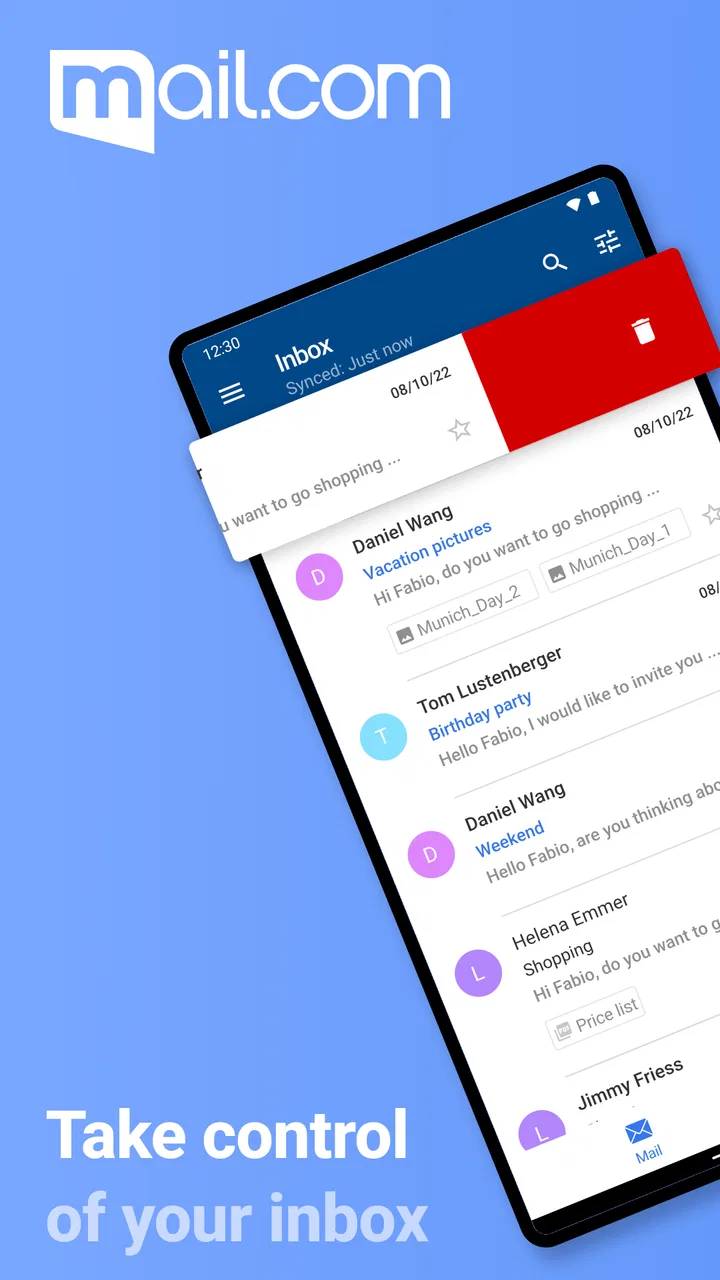
My first test was simple: could I open the app, understand the inbox, and deal with an ordinary message without feeling slowed down? The answer was yes. The overall experience is familiar enough for anyone who has used a mobile mail client, yet the cloud element gives the app a slightly different purpose. You are not only checking messages; you can also use the same account when you need to keep photos or files within reach.
You May Also Like

 Blood Strike: 2.5 Anniversary
Blood Strike’s Loadouts Turn Every Drop Into a Tactical Gamble
A close look at Blood Strike’s custom loadouts: how fast access to signature weapons reshapes its battle royale rhythm, rewards preparation, and narrows the gap between fights.

 Pandora - Music & Podcasts
Pandora’s Music Is Easy to Start, but Harder to Recover
Pandora’s strength is its low-effort path from a seed to a station. Its weak spot is how much confidence it asks you to place in connection, setup, and quiet recovery.

 8 Ball Pool
 Is Built on Rivalries, Rematches, and Routine
A close look at the rivalries, rematches, shared routines, and unanswered safety questions that turn a quick pool match into a persistent mobile community.

 Samsung Music
’s Quiet Strength Is Playing What You Already Own
Its reach comes less from spectacle than from dependable access to a personal library. That simplicity is both the app’s strongest retention engine and its ceiling.

 AccuWeather: Weather Radar
AccuWeather Review: A Quick, Clear Forecast for Everyday Decisions
For everyday plans, the best forecast is the one you can understand quickly. AccuWeather makes rain timing, radar, and local conditions easy to act on, with a few trade-offs.

 Hill Climb Racing
Why Hill Climb Racing Still Turns Crashes Into One More Run
A tiny car, a bumpy hill and one more upgrade: Hill Climb Racing keeps resurfacing because its simple chaos makes every near-miss feel personal.
More From Our News Desk



The most important decision criterion is therefore how much you want from one account. If you only need a lightweight reader for an existing mailbox, a dedicated client may feel more direct. If you are starting a new address and want email plus a convenient place for personal files, mail.com makes more sense. I found that the combined approach reduces the number of separate services I need to remember, although it also means the app feels less narrowly focused than a minimalist inbox.
Another consideration is the email address itself. A custom address can be useful when you want something more personal than a random account identifier, or when you are separating shopping, registrations, family communication, and work-related messages. I would not create a new address casually, though. The address you choose may become attached to banking, subscriptions, recovery contacts, and people who know you, so it is worth choosing one you will still be comfortable using years from now.
The app is free to download and use, while in-app purchases range from $0.99 to $39.99 per item. That makes it accessible for someone who wants to try the basic experience without committing money first. Still, I recommend checking the purchase prompts carefully before activating anything optional. The free entry point is a strength, but users who are highly sensitive to upgrades or paid extras should pay attention during setup and account management.
The everyday workflow I found most useful
A realistic example is a weekend trip. I can receive a booking confirmation, keep a ticket or image nearby, and send a message to a companion without jumping between a separate email app and a separate file-storage service. That does not turn the app into a full travel organizer, and I would not pretend it replaces one. The benefit is smaller and more practical: fewer places to search when I need a message and an attachment at the same time.
This workflow also reveals a useful habit. Instead of leaving every attachment buried in the inbox, I would move important photos or files into a deliberately named cloud area as soon as I know I will need them again. That turns the account into a simple reference point. It is especially handy for receipts, scanned documents, school forms, or images that I may need to share later. The trade-off is that organization depends on my own discipline; the app cannot make a messy filing system tidy by itself.
I also found value in keeping different kinds of communication separate through the address I use. One address can be reserved for people I know, while another can handle newsletters or online registrations if the available address options suit that purpose. This is not a replacement for careful privacy habits, but it can reduce the noise in a main inbox. The practical tip is to decide the role of an address before distributing it, rather than trying to repair a crowded inbox afterward.
Where the combined design wins
The strongest part of the experience is convenience. A conventional email-only service may be perfectly good at messages, but mail.com gives the account a second job. Having cloud storage for photos and files close to the inbox is useful when an attachment is more important than the message that delivered it. I like being able to think in terms of “my account” rather than “my inbox plus another unrelated storage login.”
This can be particularly helpful for people who are not interested in assembling a collection of separate productivity tools. Students, families, freelancers, and casual users may appreciate a straightforward starting point: an email address, mobile access, and a place for selected files. The service is also a reasonable option for someone who wants to create a fresh identity for online communication instead of relying on an old address that has accumulated years of clutter.
The app’s age is another quiet advantage. It was released on May 5, 2011, so this is not a brand-new experiment that still needs to prove whether people will continue using it. The current version indicates ongoing maintenance, and the large volume of user feedback gives potential adopters more confidence than an unknown mailbox service would. I still judge the app by my own workflow, but longevity matters when an email address may become part of everyday life.
Security is also part of the product’s positioning, and the app presents itself as a secure mail option. I see that as a reason to take the service seriously, not as permission to become careless. I would still use strong account credentials, avoid sharing sensitive information unnecessarily, and keep important files backed up elsewhere when losing access would create a serious problem. A cloud mailbox is convenient storage, but convenience should not be confused with a complete backup strategy.
Small details that affect daily use
Notifications deserve more thought than they usually receive in an email review. If I allow every incoming message to interrupt me, the account quickly becomes distracting, especially when newsletters and automated confirmations arrive alongside personal mail. My preferred approach is to make the address purposeful from the beginning, then adjust notification behavior around the messages that genuinely need immediate attention. The app is more pleasant when it supports my schedule instead of dictating it.
Search and filing habits matter just as much. I would not rely on an inbox as a permanent filing cabinet. For messages connected to a project, purchase, or trip, I prefer a consistent subject line and a clear cloud folder for files I expect to revisit. This is a non-obvious strength of the combined setup: email can act as the record of a conversation, while the cloud area holds the useful item itself. That separation makes later retrieval easier than scrolling through a long thread.
There is also a psychological advantage to a custom address. A clear, memorable address can make communication feel more intentional, especially when the account is used for a side project, applications, or a small business identity. I would not assume that a custom address automatically looks professional; the exact name still matters. But having the option is more flexible than accepting the first generic address offered by a service.
Where a different category may fit better
Mail.com is not automatically the best choice for everyone. If your priority is a highly specialized work mailbox with deep collaboration around calendars, documents, meetings, and team administration, a workplace-oriented ecosystem may be a better fit. I would choose that kind of service when the email account needs to connect tightly to an organization’s existing tools rather than function mainly as personal communication and storage.
A privacy-focused email provider may also suit you better if your decision is driven primarily by a particular privacy model or by specialized controls that mail.com does not place at the center of your routine. I am not saying mail.com is unsuitable for ordinary private communication; I am saying that users with very specific privacy requirements should compare the provider’s policies and tools directly instead of choosing based only on the presence of the word “secure.”
Likewise, people who already have a favorite cloud-storage service may find the bundled approach less compelling. If all your photos and files already live in a system you understand, adding another storage location can create duplication. In that situation, an email-only account or a powerful third-party mail client may keep the workflow cleaner. The advantage of mail.com is strongest when you actually want the two functions together, not when you are forced to use both.
Power users should consider how much control they expect from a mobile inbox. Someone who manages several professional identities, complex rules, or a demanding archive may prefer a client designed around advanced mailbox management. Mail.com feels more approachable when the goal is dependable personal access. I would recommend testing your real account structure before moving everything, particularly if you have years of folders, aliases, or attachments that must remain easy to locate.
What switching really involves
Starting a new email account is easy; replacing an established one is not. Before switching, I would make a list of every service that sends login codes, receipts, password resets, and important notices to the old address. I would update those accounts gradually and keep the previous mailbox available during the transition. The biggest cost is not learning the app. It is making sure people and services know where to reach you.
I would also avoid moving every file immediately. First, I would identify documents that need frequent mobile access, then place only those in the cloud area. This keeps the new account useful without creating a second chaotic archive. For irreplaceable photos or records, I would retain another copy outside the app. That is a sensible trade-off with any online storage service, including one that is conveniently connected to email.
Users wondering whether they can try it without paying can begin with the free app. That lowers the risk of experimenting with a secondary address or a limited personal workflow. The important distinction is between trying the service and making it your only digital identity. I would use it for a few weeks with realistic messages, attachments, and notifications before changing recovery details everywhere else.
People also often ask whether the app is suitable for a child or older relative. Its Everyone age rating makes it broadly accessible, and the familiar email model should not be intimidating for someone who already understands basic messaging. For a less experienced user, I would still help choose the address, explain suspicious messages, and establish a simple folder routine. Ease of use does not remove the need for guidance around account safety.
My recommendation for different users
I recommend mail.com most confidently to someone who wants a fresh email address and appreciates having cloud storage for selected photos and files in the same overall account. It is a sensible choice for personal communication, registrations, travel documents, family exchanges, and light file organization. The free starting point makes it easy to evaluate without turning the decision into a financial commitment.
I am less enthusiastic for someone who already has a perfectly organized mailbox and a well-established cloud service. Switching would introduce work without necessarily solving a real problem. I would also steer a business team toward a service chosen for organizational administration and collaboration, and I would ask a privacy specialist to compare provider policies before settling on any consumer mailbox.
For most individual users, the deciding question is simple: do you want one practical account for messages and selected files, or the most specialized tool for each task? If the first answer sounds like you, the combined design is genuinely useful. If the second answer is more accurate, a separate email client and storage provider may be more flexible, even if that arrangement requires more logins.
After using it, I see this app as a dependable middle ground rather than an all-purpose replacement for every communication tool. It is approachable, free to begin with, supported by a long-running service, and broad enough to cover common personal needs. Its limitations appear when your requirements become highly specialized or when adding another cloud location would make your digital life harder to organize.
My final advice is to start with a clear purpose. Create an address you will be happy to keep, decide which messages deserve alerts, and use the cloud area for files you can retrieve quickly rather than dumping everything into it. Used that way, mail.com: Email app & Cloud earns its place as a practical everyday companion, especially for people who value convenience more than an elaborate collection of separate tools.
FAQs for mail.com: Email app & Cloud
01What is mail.com: Email app & Cloud?
mail.com: Email app & Cloud is a mobile email application for managing one or more mail.com accounts from an Android or iOS device. It combines standard email tools with cloud storage, allowing you to read, send, organize, and search messages while also accessing files saved online. The app is designed for everyday communication, whether you use email personally or for work-related tasks.
02Can I use the mail.com app with multiple email accounts?
Yes, the mail.com app supports managing multiple mail.com email addresses in one place, which is useful if you keep separate accounts for personal messages, shopping, or professional communication. After signing in, you can switch between accounts without repeatedly entering your credentials. However, users should check the current app version and account settings, since available account-management features may vary between Android and iOS.
03Does mail.com: Email app & Cloud include free cloud storage?
The application provides access to mail.com Cloud, where users can store and view files such as photos, documents, and other personal content. The amount of available storage depends on the mail.com plan associated with your account, so it is important to review the current limits before relying on it for backups. Cloud storage is convenient, but it should not automatically replace a separate backup system for important files.
04Is the mail.com email app free to download and use?
The mail.com app can generally be downloaded without an upfront charge, and users can access core email functions with an eligible mail.com account. Nevertheless, some account plans, storage allowances, or optional services may have different conditions. Before downloading, review the listing and mail.com’s current terms to understand whether advertisements, paid upgrades, subscription features, or storage restrictions apply to your particular account.
05Is mail.com: Email app & Cloud safe for handling personal emails and files?
The app is intended to provide secure access to mail.com email and cloud content, using account authentication and standard protections offered by the service. Even so, no online platform is completely risk-free. Use a strong, unique password, enable any available security options, keep the app updated, and avoid signing in on untrusted devices or public networks. You should also review the app’s privacy policy before storing sensitive information.
Pros
- Generous cloud storage for keeping files and email attachments together.
- Built-in calendar helps organize appointments without leaving the app.
- Supports multiple mail.com email addresses and aliases.
- Attachment previews make it easy to check files before opening them.
- Available on Android and iOS with a familiar interface.
Cons
- Some advanced features require a paid premium subscription.
- Advertising may appear in the free version of the app.
- Large cloud files can use significant mobile data during syncing.
- Interface can feel busy when managing several folders or accounts.
- Customer support options may be limited for free users.

mail.com: Email app & Cloud
Gallery